

Search Results Page
The Search Results Page (SERP) is a dedicated page used to display results for a given search query.
SERP provides a structured view of products along with filtering, sorting, and navigation capabilities to help users refine and explore results efficiently.
Features
- Filtering (facets) - SERP supports dynamic and static facets that allow users to refine results based on available attributes (e.g. price, category, brand, size).
- Predefined filter types:
- range filters (e.g. price)
- taxonomic filters (e.g. categories)
- checklist filters (multi-select attributes)
- Pagination - Results can be split across multiple pages.
Default Layouts
Mobile
- Filters are hidden by default and displayed on user interaction
- Grid layout (number of columns) can be configured based on the device viewport size
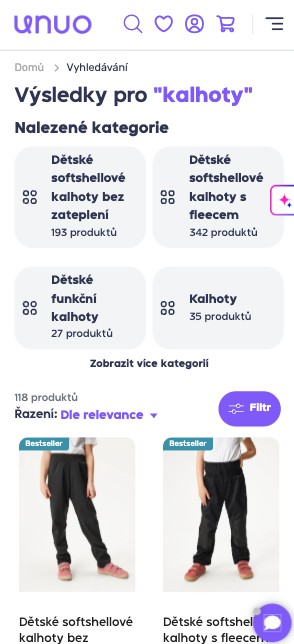
Phone
Desktop
- Filters are typically visible alongside results
- Grid layout adapts to available screen width
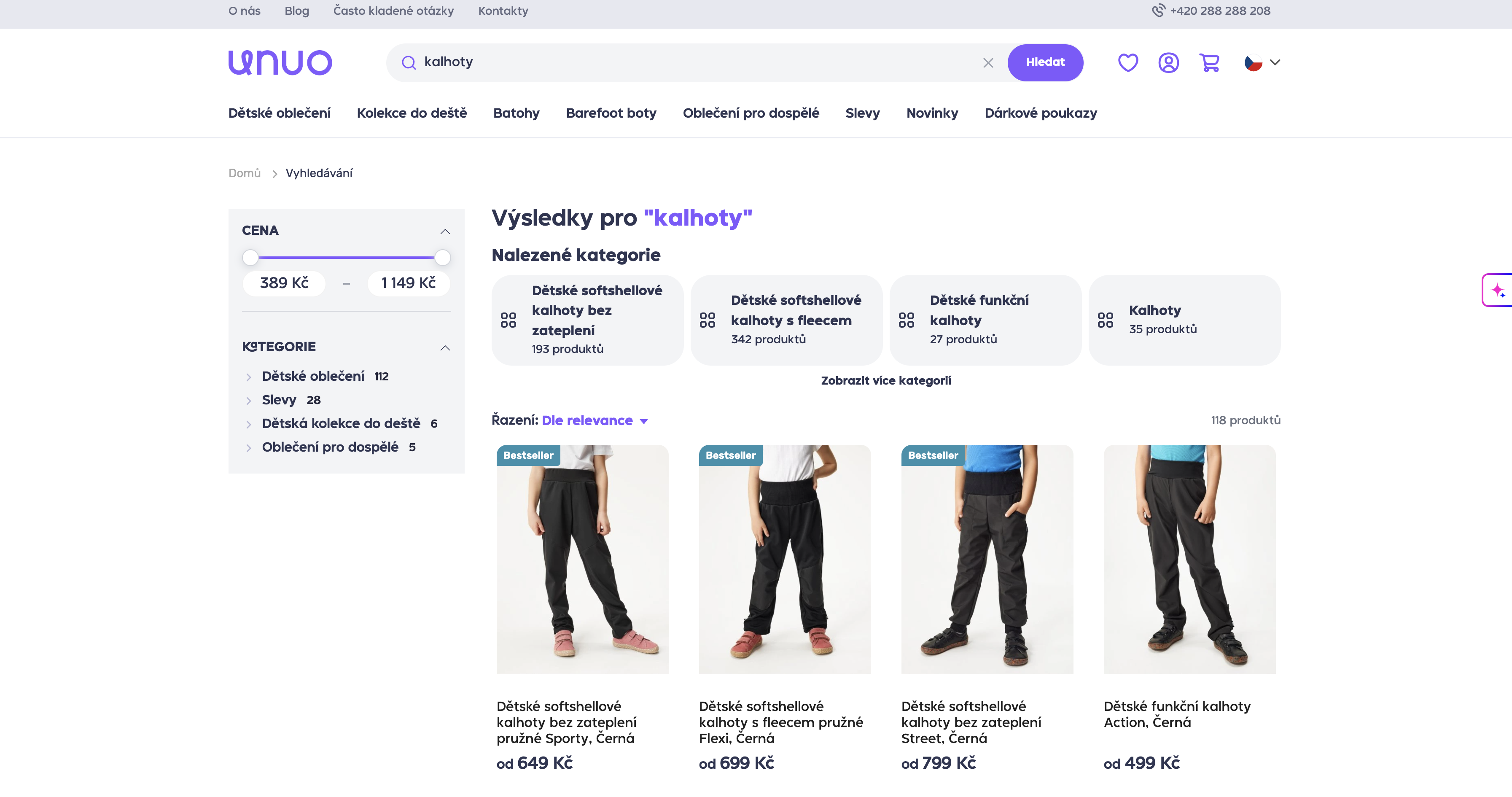
Desktop
Tablet
- Filters are hidden by default and displayed on user interaction
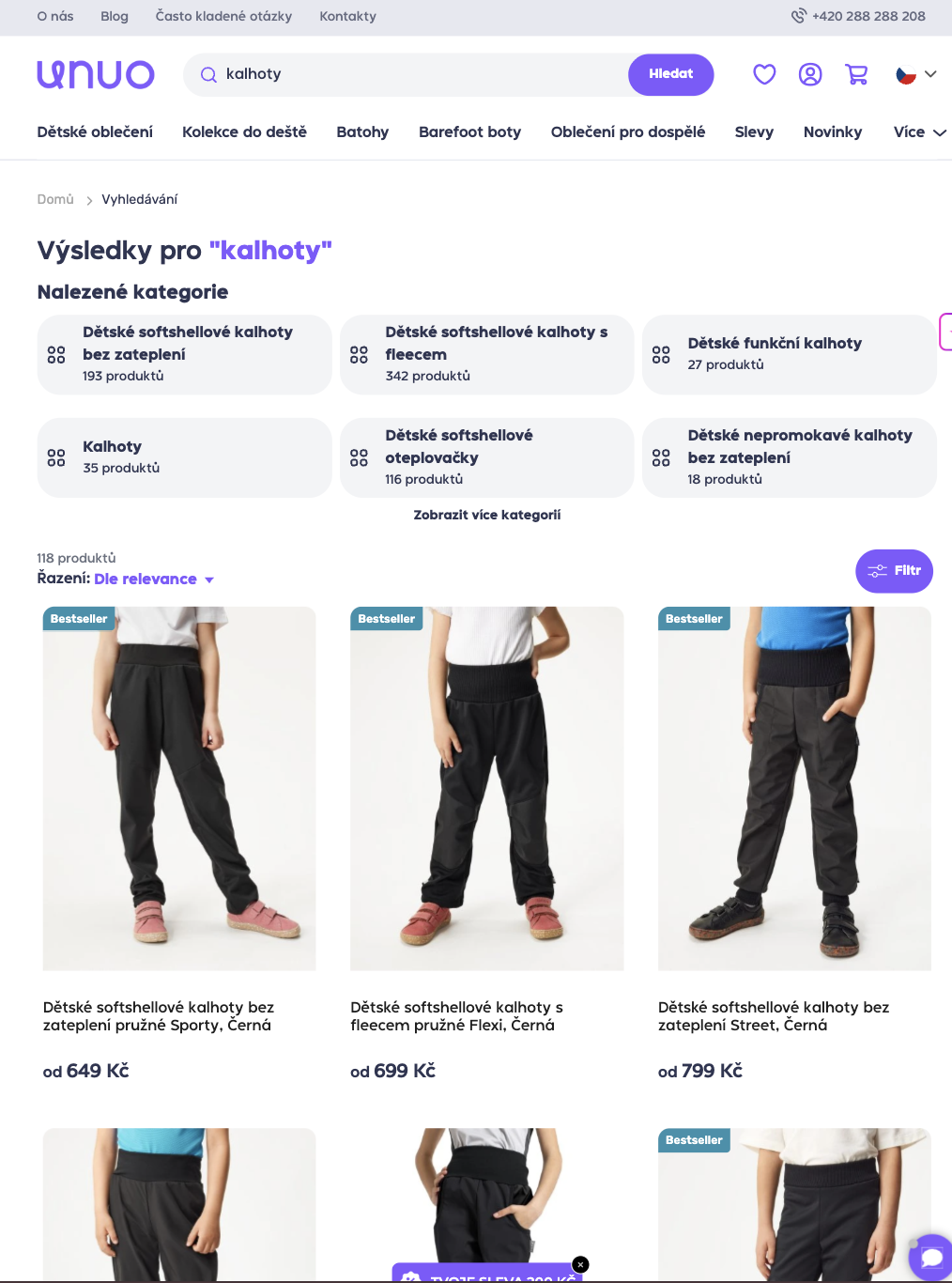
Tablet
Configuration
- Grid layout - The number of product columns per viewport can be configured
- Filters - Available facets and filter types are configured based on the data model and project setup
- Pagination - Pagination behavior can be adjusted depending on UX requirements
Updated 6 months ago
Did this page help you?